

New in LEADING Job: Mobile Time Tracking with the Mobile Timesheet App
Record project hours directly on your smartphone – quickly, easily and on the go.
Client meetings, workshops, productions or a day working from home: not every working hour is spent at a desk. Yet project hours are often recorded later. Especially when employees work on several client projects, it can be difficult to remember every activity and allocate the time accurately.
With the new Mobile Timesheet App, LEADING Job makes time tracking more flexible. Employees can record their working hours directly from their smartphone or tablet – whether they are in the office, visiting clients or working remotely.
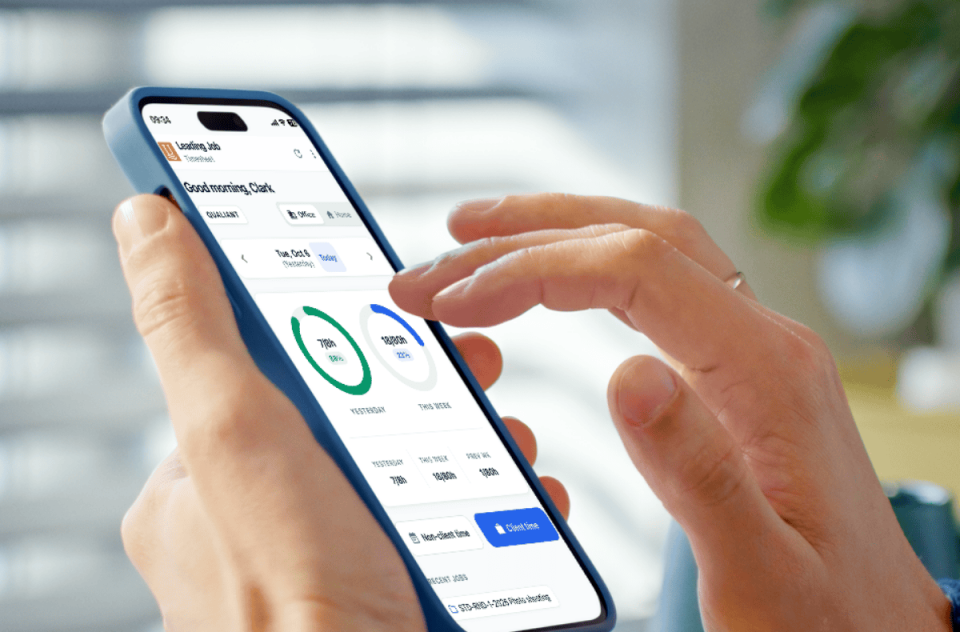
Record project hours as you work
The Mobile Timesheet App is specifically designed for mobile devices. It opens directly in the browser and can be installed on the home screen. This means time tracking is always just a tap away, without having to download a separate app from an app store.
Recording project hours is straightforward: select a job, choose the date and hour category, enter the hours worked and save the entry. If required, a start time and comment can also be added.
To make selecting a job as quick as possible, the app offers several options:
- Recently used jobs: Quickly access projects you have worked on before.
- Favorites: Select frequently used jobs directly.
- Job search: Find projects by job number, client, matchcode or job title, among other criteria.
When recording several activities in succession, employees can use “Save & Add Another” to continue directly with the next entry.
Record internal time and absences on the go
Not every working hour can be assigned to a client project. Internal meetings, administration and training are just as much a part of agency life as vacation and sick leave.
That is why the Mobile Timesheet App also provides a dedicated area for non-client time.
Employees simply select the appropriate hour category, date and number of hours. A comment can be added if needed.
This allows client hours, internal activities and absences to be recorded within the same mobile application.
The dashboard: Daily and weekly hours at a glance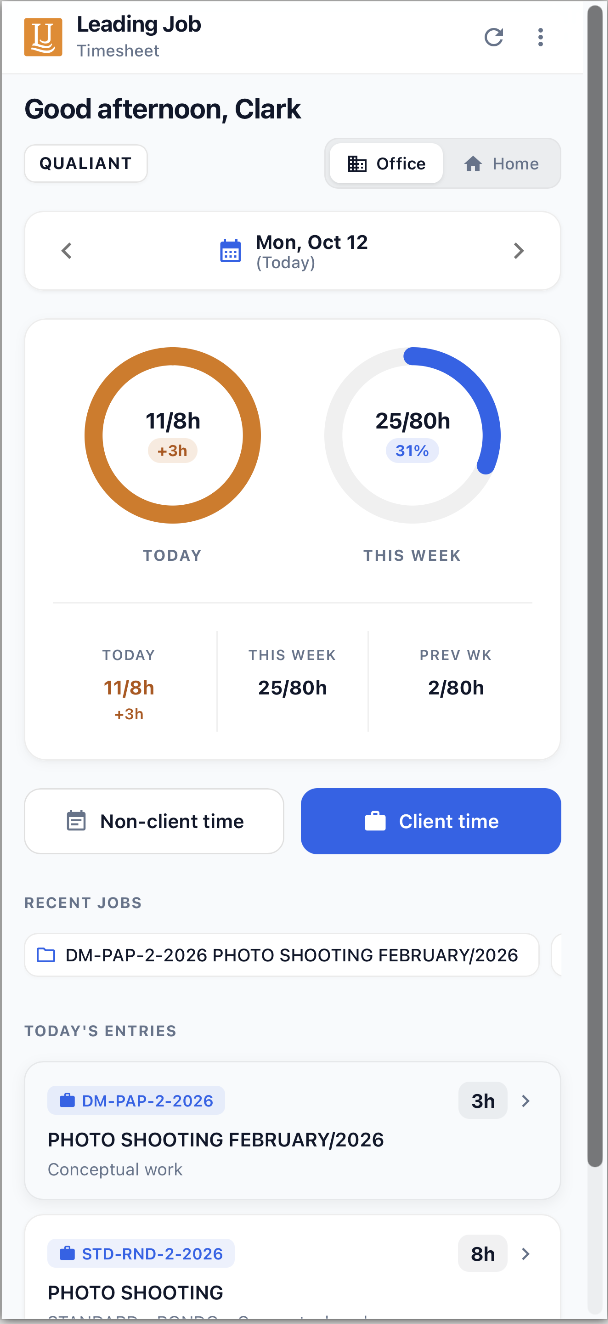
How many hours have I recorded today? How is my current week progressing? And how many hours are still needed to reach my target?
The Mobile Timesheet App answers these questions directly on the dashboard.
In addition to the recorded hours for the selected day, employees can see their totals for the current and previous week. If target hours have been configured, graphical progress indicators show the comparison between actual and target hours.
The day navigation makes it easy to switch between dates. Existing time entries can also be opened, edited or deleted directly.
Agencies using the home office function can also enable employees to switch between Office and Home directly on the dashboard.
Less time spent on time tracking, better data for project controlling
For employees, the benefit is straightforward: working hours can be recorded immediately after a meeting or completed task. There is less need to reconstruct individual activities at the end of the day or week.
Timely and complete time tracking is also important for agency management.
Recorded project hours provide an essential basis for:
- Comparing actual project hours with estimated hours
- Assessing employee and team utilization
- Understanding how time is distributed between internal and client-related activities
- Identifying deviations in project effort at an early stage
The easier daily time tracking becomes, the better the conditions for accurate and up-to-date project data.
An additional mobile option for time tracking in LEADING Job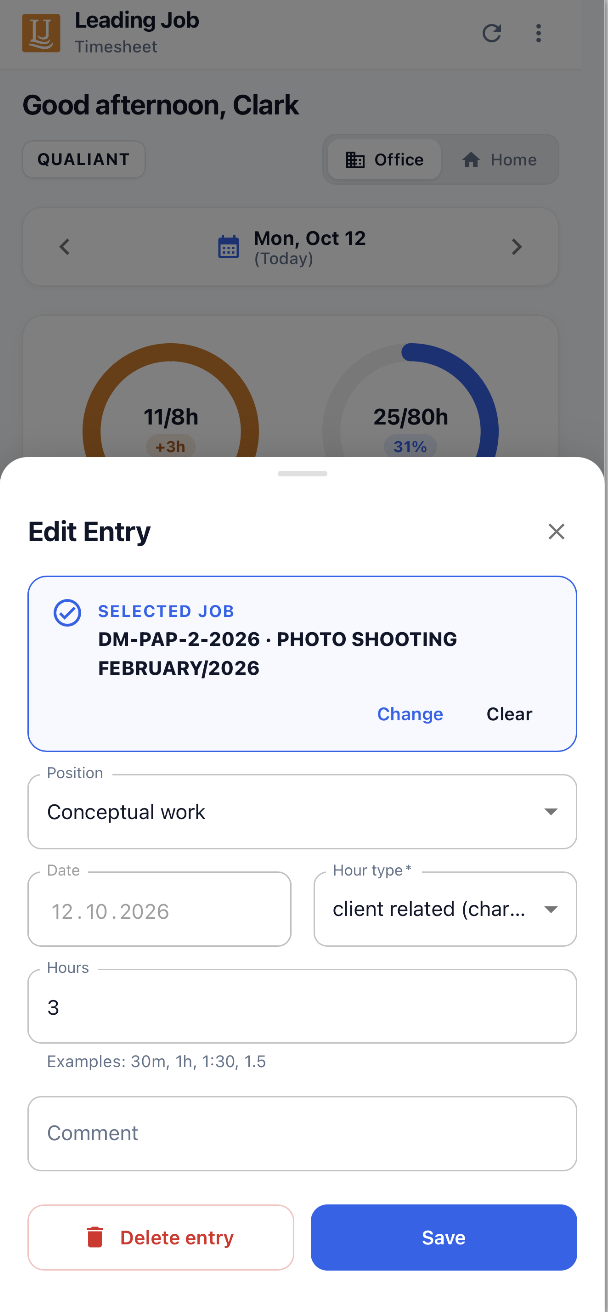
The Mobile Timesheet App complements the existing time tracking options in LEADING Job. Employees use their existing login credentials and can now also record their hours using a smartphone or tablet.
Changes can be made afterwards as well: time entries can be opened, edited or deleted directly on a mobile device.
_ Screenshot: Editing an existing time entry, including hour category, duration and comment.
An active internet connection is required to save time entries.
Mobile time tracking that fits the way agencies work
Whether after a client meeting, between two workshops or while working from home, the new Mobile Timesheet App allows employees to record their working hours as they happen.
This simplifies daily time tracking and helps agencies maintain more complete and up-to-date records of project hours and internal activities.
Would you like to see how the Mobile Timesheet App works in LEADING Job? Get in touch, we would be happy to show you the new mobile time tracking features in detail.
