

Automated Clipping Management: How Daily Clippings Work in Real Life
Automation has long been standard in many areas – yet many agencies still manage clippings manually.
With proClipping, clippings and PDFs are now automatically provided directly in the system.
In this article, we show step by step how this works in LEADING Media.

- Where can I find proClipping in the system?
- Direct access from campaigns & media plans
- The proClipping overview
- Automatic transfer & processing
- Open PDFs directly in the system
- Flexible post-processing remains possible
- Fully integrated instead of another isolated solution
- Use proClipping for your agency
1. Where can I find proClipping in the system?
proClipping is directly integrated into the existing clipping management and can be opened from multiple areas within the system.
The main access point is:
Statistics → Clipping management → proClipping
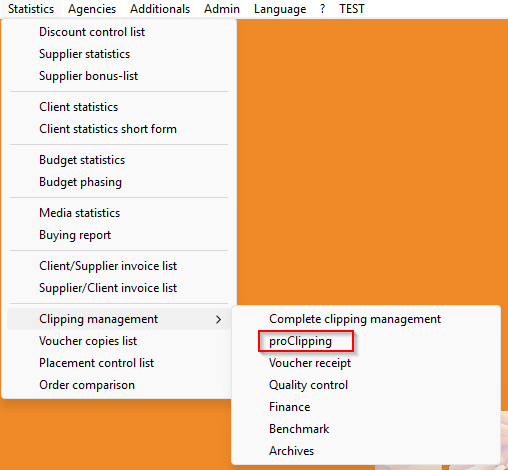
Before users can work with proClipping, the corresponding access right must be assigned.
2. Direct access from campaigns & media plans
proClipping can also be opened directly from existing campaigns and media plans.
If proClipping is selected directly in the planning/media plan base selection, the corresponding campaign is automatically preselected in the proClipping interface.
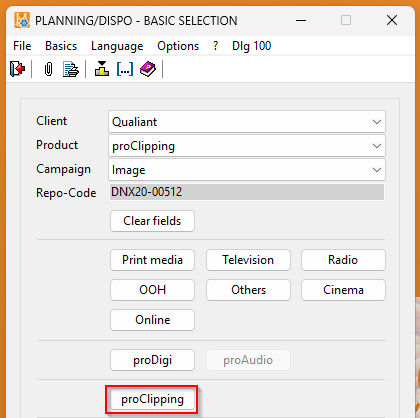
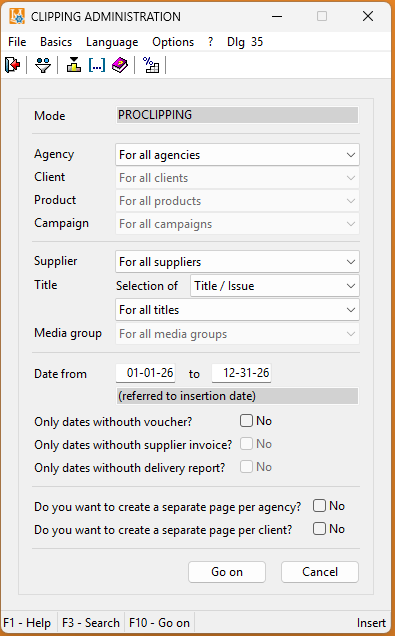
Additionally, proClipping can be opened directly from:
- the media plan listbox
- the schedule listbox for all media plans
- the quick functions
- the ID (insertion date) list of individual media plans
Depending on the entry point, users either land:
- in the overview of the entire campaign
- or directly in individual insertion dates
3. The proClipping overview
After opening, the proClipping listbox is automatically loaded. The overview includes numerous relevant columns by default, including:
- Clipping OK
- Clipping complained
- Actual placement
- Context
- Observer comments
- Status information


The columns can be individually rearranged, extended or reduced as usual.
You can filter specifically by:
- Clients
- Products
- Campaigns
- Suppliers
- Titles and media groups
- Time periods
4. Automatic transfer to Observer & processing
All relevant data for booked ads is automatically transferred to Observer.
By default, upcoming insertions are transferred once per day in the evening – approximately one week in advance. For example, if data is transferred today, it will include insertions scheduled for the next seven days.
This allows Observer to process planned ads early and prepare the corresponding clippings.
As soon as the ads have been published and processed by Observer, the clippings can automatically be retrieved in LEADING Media.
The retrieval interval can be individually configured.
The information is then directly available in LEADING Media – including placement, context and PDF documentation.
5. Open PDFs directly in the system
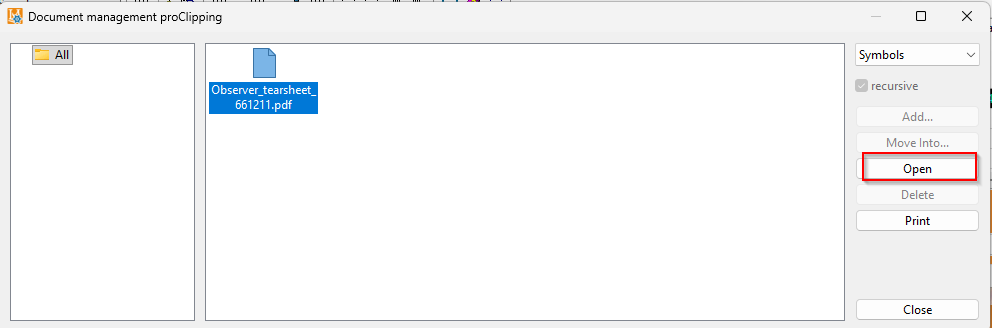
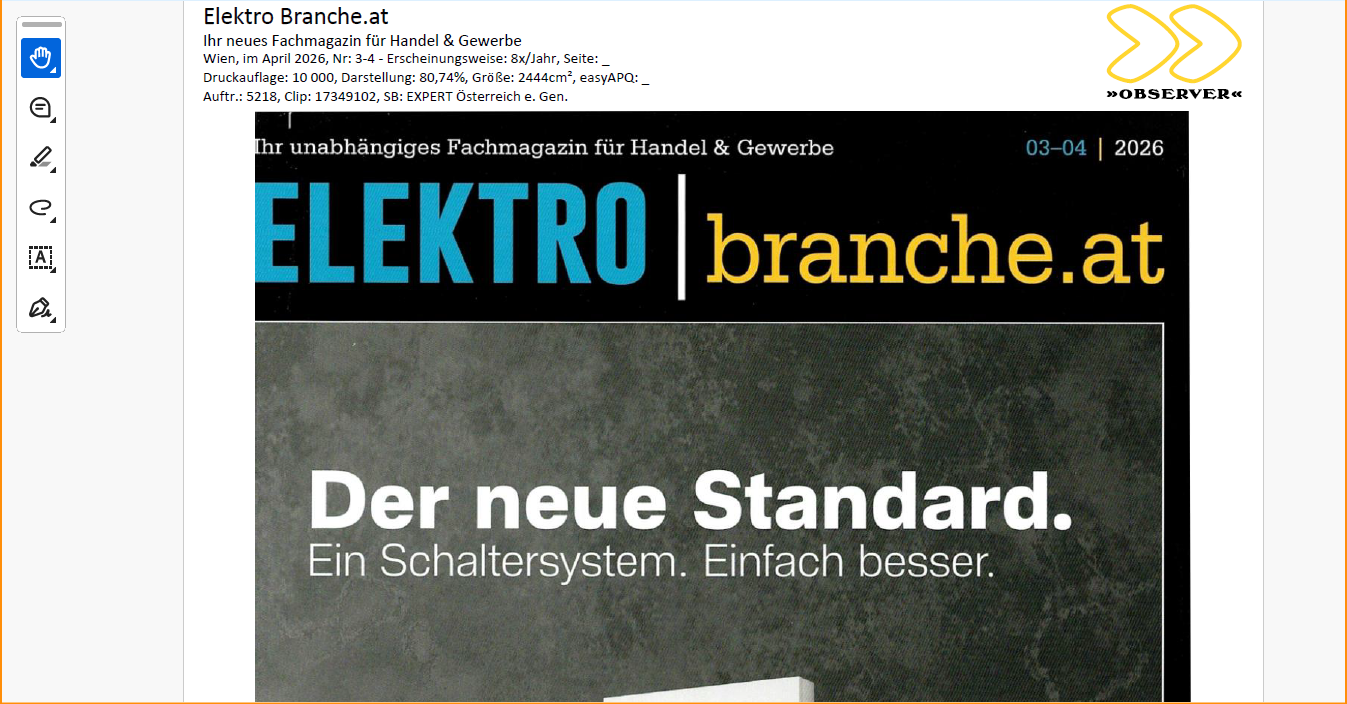
As soon as a clipping is available, it is displayed directly in the overview in the "pC-Docs" column with a paperclip icon. The document can immediately be opened via the dedicated proClipping PDF icon.

Within the document management, the complete PDFs including context pages are available.
This includes, among others:
- Cover page
- Ad page
- Adjacent pages
6. Flexible post-processing remains possible
Despite the extensive automation, maximum flexibility remains.
Information related to a clipping can still be manually added or overwritten.
The display and labeling of individual status information can also be expanded or adjusted in the future.
Fully integrated instead of another isolated solution
The biggest advantage of proClipping lies in its direct integration into LEADING Media.
Clippings and PDFs no longer need to be manually searched, saved or managed externally. Instead, all information is available exactly where campaigns are planned and managed.
This saves time, reduces sources of error and creates significantly more efficient workflows in day-to-day agency operations.
Go to the proClipping landing page
Use proClipping for your agency
Would you like to integrate automated clippings directly into your workflow and use proClipping in LEADING Media?
Contact us for more information or a personal demo appointment.
