

LEADING Job Release Note 26.3
Version 26.3 brings additional improvements for clarity and data maintenance in LEADING Job. Alongside several stability optimizations, new convenience features have been added – including the display of the currently active agency, a new shortcut to the dashboard, and extensive options for cleaning up obsolete master data.
In the web application of Leading JOB each update only takes place after prior consultation with the customer. You can test the new features first in your test database.

General
1. Display of the currently active agency
What’s new?
The currently active agency is now displayed in the blue bar at the top right of the screen.

Why is this important?
Especially when working with multiple agencies or clients, the new display improves orientation and helps prevent mix-ups when working with data.
2. New button for quick access to the dashboard
What’s new?
The LEADING Job logo in the top right corner has been converted into a functional button. This allows you to return directly to the dashboard from any module at any time.

Why is this important?
Faster access improves navigation throughout the system and saves time during daily work.
Master Data
3. New option for deleting obsolete master data
What’s new?
You can now delete obsolete master data directly from LEADING Job.
This applies to:
- Clients (including products and campaigns)
- Suppliers
- Invoice recipients
- Addresses
The prerequisite is that no transaction data is still linked to these records – for example no jobs, cost estimates, supplier invoices or outgoing invoices.
In many cases, the related jobs must first be reorganized.
Please read the corresponding section in our manual regarding the required procedure before proceeding.
Using a client as an example, we will show you how to delete old and no longer required data:
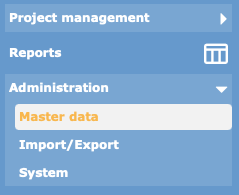
1. Open the “Master Data” module and navigate to the client management section:

2. The first question is: “Which records are actually old enough to be deleted?”
To improve visibility, two new columns have been added:
- last used: Date of the last activity
- last used (years): Number of years since last use
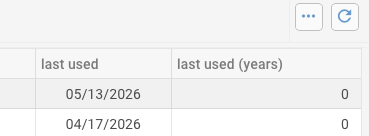
The time period you select for deleting old master data should roughly match the time period for which old transaction data (such as jobs or invoices) has already been removed through reorganization.
3. Multi-selection has also been added, allowing several records to be deleted at the same time. The “Delete” button always remains active.
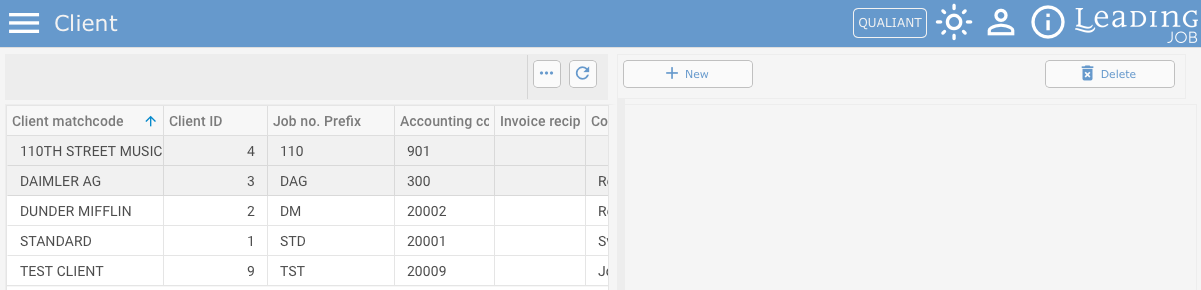
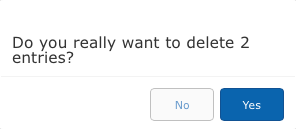
4. A security confirmation dialog appears before deletion.
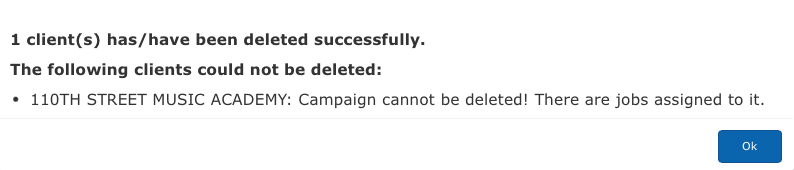
5. Records that cannot be deleted are displayed together with the corresponding reason.
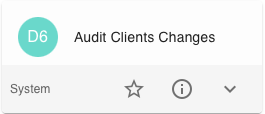
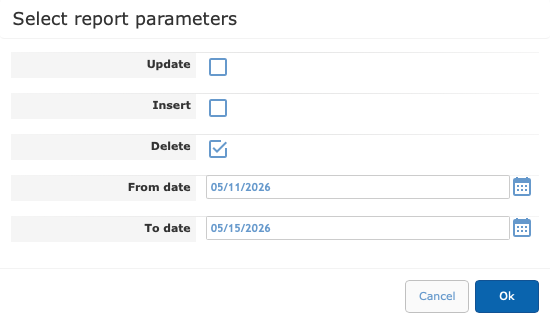
6. All deletion processes are automatically logged and can be reviewed via the audit reports.
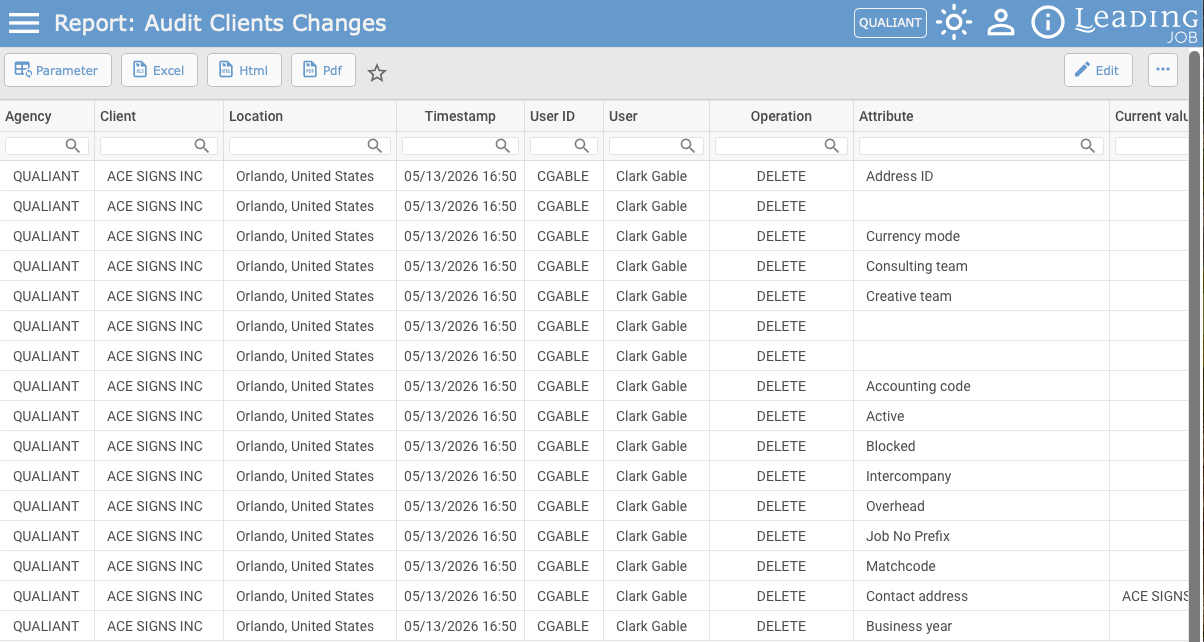
Addresses can be deleted according to the same principle, but only after all other deletion processes have been completed, since the same address may simultaneously be used as a client, supplier and invoice recipient.
Please also note that addresses are valid across agencies. Therefore, an address can only be deleted if it is no longer assigned or used in any other agency besides the currently active one.
Why is this important?
The new function helps you remove old and obsolete master data from your database in a structured way. This keeps your data organized, improves the clarity of search results and supports long-term data quality.
Particularly useful:
Thanks to the automatic logging of all deletion activities, it is always possible to track who deleted which records and when.
Contact LEADING Job Support
Do you have questions about the current Release Note? You have discovered a problem with the current version? Talk to us! Here is your direct line to LEADING Job Support:
+43 1 503 6644
_______________________________________
This document is a non-binding customer information. There can be no warranties or commitments derived from this Release Note.
The contained topics represent the status quo of Qualiant Software at the date of publication. Modifications and additions at a later date are possible.
The content of this release note may not be understood as a part of the licensing agreement. Qualiant Software assumes no liability for the correctness and completeness of this release note.
The agency software LEADING Job integrates project management and resource planning of advertising agencies. Integrated with time recording, holiday planning and employee workload, from cost estimates and invoicing to accounting, controlling and reporting. Operates in the cloud or on-premise. Your agency under control with software from Qualiant.